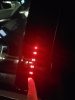
Keypad entry

Disclaimer: Links on this page pointing to Amazon, eBay and other sites may include affiliate code. If you click them and make a purchase, we may earn a small commission.

Bryan Kuban

Member
Joined
Oct 7, 2019
Messages
53
Reaction score
10
Location
St. Louis, Mo
I am new here to this forum but was suggested it by someone on another page. Question you guys may or may not know. I have had my 16 SHO for about 1 year now. I had the keypad entry programmed and it has been working fine. The other day it stopped working for some weird reason. I have to master number but when I go to program it, it won't program. The master number doesn't work either. Any ideas?
 

Johnbigdog

SHO Member
Joined
Feb 17, 2017
Messages
1,417
Reaction score
1,703
Location
michigain
There is a dot led above the number pad. When you press the individual numbers does that dot light up?

No= pad or circuit fault. I doubt the Remote Function Actuator (module) is bad. The key pad is the whole trim piece and double sided taped to the door.
 

rubydist

SHO Master
Staff member
Super Moderators
Joined
Jun 25, 2007
Messages
7,521
Reaction score
3,399
Location
Denver
The touchpads on these models were notorious for failing. When I was at the Lincoln store, we had to replace nearly all of them on the 3 year old cars we were certifying, because they were not working. The replacement parts are supposed to be more reliable.
 

Bryan Kuban

Member
Joined
Oct 7, 2019
Messages
53
Reaction score
10
Location
St. Louis, Mo
There is a dot led above the number pad. When you press the individual numbers does that dot light up?

No= pad or circuit fault. I doubt the Remote Function Actuator (module) is bad. The key pad is the whole trim piece and double sided taped to the door.


Yes the light lights up. Factory code won't work either.
 

Johnbigdog

SHO Member
Joined
Feb 17, 2017
Messages
1,417
Reaction score
1,703
Location
michigain
So the touchpad has power, ground. The dot at the top is to confirm the input. There is a separate circuit that the rfa uses to power the LEDs that backlight the touch pad.

There are three signal circuits between the touchpad and the rfa that the touchpad uses to communicate the touchpad code being pressed. So it is posible there is still a pad or circuit fault. I believe there is PIDs you can look at to see if the RFA is seeing all three inputs.

I would assume the master code you have is from the business card that was in the owners info? If not, you can double check the master code through the touchscreen using 2 keys.
 

Bryan Kuban

Member
Joined
Oct 7, 2019
Messages
53
Reaction score
10
Location
St. Louis, Mo
So the touchpad has power, ground. The dot at the top is to confirm the input. There is a separate circuit that the rfa uses to power the LEDs that backlight the touch pad.

There are three signal circuits between the touchpad and the rfa that the touchpad uses to communicate the touchpad code being pressed. So it is posible there is still a pad or circuit fault. I believe there is PIDs you can look at to see if the RFA is seeing all three inputs.

I would assume the master code you have is from the business card that was in the owners info? If not, you can double check the master code through the touchscreen using 2 keys.


Sorry to sound dumb but I am not sure of the acronyms. I am still learning them for these cars. What is PID and RFA? Where would I test thoses? What voltages am I looking for?

The Code is from the Card, and I verified it is the same that is under the drivers side dash that they are the same.

How can you verify on the touchscreen by using 2 keys? When I go into the screen settings to set the door code it allows me to erase all and imput a new code and save it but it still does nothing. The 1-2 button isn't as sensitive as the rest of the buttons either.

thanks in advance for all the help also.
 

rubydist

SHO Master
Staff member
Super Moderators
Joined
Jun 25, 2007
Messages
7,521
Reaction score
3,399
Location
Denver
There is a dot led above the number pad. When you press the individual numbers does that dot light up?

No= pad or circuit fault. I doubt the Remote Function Actuator (module) is bad. The key pad is the whole trim piece and double sided taped to the door.

Unfortunately, the above is misleading.

In order to confirm the keypad actually works, you need to press 1 key and see if it lights up. If it does, you have to wait until the light times out, then press the next key and repeat the process until you get through all of the keys (one at a time and waiting for the light to time out for each key pressed). In 99% of the cases, there is only 1 of the keys that is not working. When you press a key and it does not light up, that means you found which key is bad.
 

Johnbigdog

SHO Member
Joined
Feb 17, 2017
Messages
1,417
Reaction score
1,703
Location
michigain
PID = Paramater IDentification. You would plug in a scan tool and see what the module is seeing.

RFA = Remote Function Actuator. The keypad is an input to this module. This module also controls the passive key function, and the door locks.

For Rubydist, the light I'm speaking of is at the very top of the pad and only lights up when one of the buttons is pressed. It's not a back lit button.

I will agree it is posible for the key pad to see an input, but not send an output (the pad is a module and not just switches) or the input not seen by the FRA module. I was using it as a way to visually see if the buttons are working. Output is another game.

20200116 063059 20200116 063051

Other than that, you're doing circuit testing. Voltage reading I can tell you. You'll have to check for shorts, opens, high resistance and connectors for contamination.
 

SHOdded

SHO Member
Joined
Dec 25, 2011
Messages
9,045
Reaction score
4,390
Location
Maryland
For a 2010, make sure to set a weekend aside LOL

Keyless Entry Keypad
Removal and Installation


WARNING: Disconnect the window regulator motor connector before working inside the vehicle doors. Service actions inside the door (such as door latch, handle or lock cylinder service) or operating the remote keyless entry (RKE) fob may activate the windows on vehicles equipped with global open/close. Serious injury to hands or arms may occur if a window motor is activated during service. Failure to follow these instructions may result in serious personal injury.

  1. Remove the exterior mirror. For additional information, refer to Section 501-09 .
  2. Lower the door glass all the way to the bottom of its travel.
  3. NOTE: The exterior window glass molding is a one time use. A new exterior window glass molding will need to be installed.
    1. Release the tabs, then lift up and remove the exterior window glass moulding.
  4. Remove the front door trim panel. For additional information, refer to Section 501-05 .
  5. Position the water shield aside.
  6. Raise the door glass all the way to the top of its travel.
  7. Disconnect the window regulator motor electrical connector.
  8. Remove the door lock cylinder. For additional information, refer to Door Lock Cylinder in this section.
  9. Disconnect the front door latch actuator electrical connector.
  10. Remove the door lock rod extension from the rod.
  11. Push the door lock rod and grommet through the door panel.
  12. Push the interior door handle cable and grommet through the door panel, and pull them back out through the door panel access hole.
  13. Remove the door latch carrier screw.
  14. Remove the 2 window glass rear track nuts.
    1. To install, tighten to 11 Nm (97 lb-in).
  15. NOTICE: To prevent the front door glass from breaking, do not use excessive force when pushing on the window glass track.
    1. Push the lower window glass track stud through the door panel and move the bottom of the glass track toward the front of the vehicle.
  16. Loosen the exterior door handle reinforcement bolt.
    1. To install, tighten to 7 Nm (62 lb-in).
  17. Slide the exterior front door handle reinforcement to the front of the vehicle and push inside the door.
  18. Remove the 3 front door latch bolts.
    1. To install, tighten to 12 Nm (106 lb-in).
  19. Remove the complete latch, carrier and handle reinforcement assembly from the door.
  20. Disconnect the keyless entry keypad electrical connector and unclip the connector from the door.
  21. Unclip the keyless entry keypad harness from the door.
  22. Connect the window regulator motor electrical connector.
  23. Lower the window glass all the way to the bottom of its travel.
  24. NOTE: The keyless entry keypad is attached to the door with double-sided tape.
    1. Using a suitable tool such as a trim removal tool, remove the keyless entry keypad.
  25. To install, reverse the removal procedure.
 

Forum statistics

Threads
107,077
Messages
1,181,199
Members
16,142
Latest member
Kaevorlly

Members online

Back
Top