Randy Marange
FHO SHO
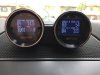
Hey guys. Just received my Aeroforce gauges and Aeroforce gauge pod today for the Ford Taurus 2010+. This install was fairly easy. Took me about an hour or so to install it.
Here is a guide as to how I went about installing the gauges and gauge pod into my car.
First and most important I READ the directions. Probably one of the most important steps before doing anything to your car!
Next I took the gauges out of the packaging and fitted them into the gauge pod. One hiccup I found in this was the bracket that holds the gauges into the pod were too big for the gauge pod. So what I did was take a hacksaw and cut the bracket in half and one of the halves I had to trim down a little more on the "leg" part so I can secure the gauges to the pod.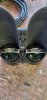
Next I made sure everything was lined on on the face of the pod. (I went with the extra $10 and got the carbon fiber face plate with the SHO logo in it. The gauges come with a black and white face automatically.)
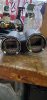
Next I took off my center speaker panel on the dash and with the diagram provided I drilled 1/4" holes per the diagram. (One thing I noticed was the diagram is actually backwards. It shows two hole locations. One for even with the center of the dash and one for slightly towards driver. The driver holes were actually on the opposite side on the diagram so I just drilled equal distance fro the canter holes to the other side.)

After you drill the mounting holes I them drilled a 1/2" hold in the center for the gauge wires to go through.
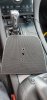
After that I removed the speaker and drilled another 1/2" hold on the outskirts of the speaker hole. (One thing I should have done was drill it to the bottom and not the side so the wires underneath don't bunch up)
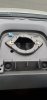
After that comes the tricky part. Running the wires. For this I had to remove the panel underneath the steering wheel with a 7mm socket (There are two bolts on the bottom). Then popped it off. After that I then removed the small air vent panel next to the ignition button so I could run the wires.
After removing the panels I took a wire coat hanger and ran it straight up the dash and pulled the wires through. Be very careful as to not rip the wires when pulling them through. It is a very tight space and this probably took the longest time of the entire install.
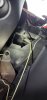
After that you then run the wires up through your hole you drilled next to the speaker and then reinstall the speaker.
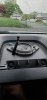
After that you can then run the wires through the center hole on your speaker panel and connect them to the gauges. I then plugged them into my OBD2 port to make sure they were working properly.
You can then connect the gauge pod to the speaker panel and make sure it is snug to the panel and isn't loose.
After that I bundled the wires up with a couple zip-ties and placed them behind the metal dash panel under the steering wheel.
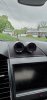
Once you are done reinstalling the panels you took off you can them plug the gauges in the the OBS2 port and start your car.
They will take you through a small set-up where you can mark what parameters you want to be read on the screens.
Once that is done you are ready to go and enjoy your new Aeroforce gauges!

Here is a guide as to how I went about installing the gauges and gauge pod into my car.
First and most important I READ the directions. Probably one of the most important steps before doing anything to your car!
Next I took the gauges out of the packaging and fitted them into the gauge pod. One hiccup I found in this was the bracket that holds the gauges into the pod were too big for the gauge pod. So what I did was take a hacksaw and cut the bracket in half and one of the halves I had to trim down a little more on the "leg" part so I can secure the gauges to the pod.
Next I made sure everything was lined on on the face of the pod. (I went with the extra $10 and got the carbon fiber face plate with the SHO logo in it. The gauges come with a black and white face automatically.)
Next I took off my center speaker panel on the dash and with the diagram provided I drilled 1/4" holes per the diagram. (One thing I noticed was the diagram is actually backwards. It shows two hole locations. One for even with the center of the dash and one for slightly towards driver. The driver holes were actually on the opposite side on the diagram so I just drilled equal distance fro the canter holes to the other side.)
After you drill the mounting holes I them drilled a 1/2" hold in the center for the gauge wires to go through.
After that I removed the speaker and drilled another 1/2" hold on the outskirts of the speaker hole. (One thing I should have done was drill it to the bottom and not the side so the wires underneath don't bunch up)
After that comes the tricky part. Running the wires. For this I had to remove the panel underneath the steering wheel with a 7mm socket (There are two bolts on the bottom). Then popped it off. After that I then removed the small air vent panel next to the ignition button so I could run the wires.
After removing the panels I took a wire coat hanger and ran it straight up the dash and pulled the wires through. Be very careful as to not rip the wires when pulling them through. It is a very tight space and this probably took the longest time of the entire install.
After that you then run the wires up through your hole you drilled next to the speaker and then reinstall the speaker.
After that you can then run the wires through the center hole on your speaker panel and connect them to the gauges. I then plugged them into my OBD2 port to make sure they were working properly.
You can then connect the gauge pod to the speaker panel and make sure it is snug to the panel and isn't loose.
After that I bundled the wires up with a couple zip-ties and placed them behind the metal dash panel under the steering wheel.
Once you are done reinstalling the panels you took off you can them plug the gauges in the the OBS2 port and start your car.
They will take you through a small set-up where you can mark what parameters you want to be read on the screens.
Once that is done you are ready to go and enjoy your new Aeroforce gauges!