gmail
Well-Known Member
ok this will be a working progress so im starting off with some pictures.
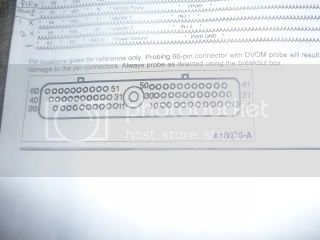
now i recommend you get yourself a ford service CD then print out the pinout of the computer like i did so you can sit down and solder this up.
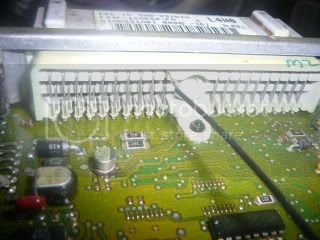
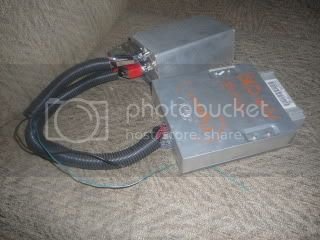
also for a note the picture of the connector will be backwards if you have the PCM in front of you looking at it trying to match the picture up with the connector i have in the one picture.
example one side will end with 20/40/60 that will actually be the other side of the picture shown if your looking at the computer..
this will be very important since you will run into a lot of problems if wired wrong.
now this way i did it was what worked for me and was basicly something i did at first to wire this up and it has changed a lot over time, so it might look a bit crude but remember you can do this anyway you want.
also on the PCM i did break the stock connection with certain things like injectors, ignition output or SPOUT, coolant and air intake temp sensors (because the factory uses dual resistors which makes both the stock computer and the MS mad, conflicting readings).
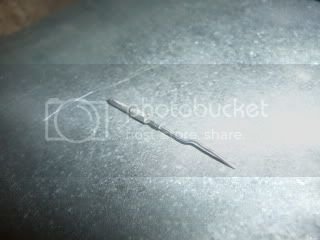
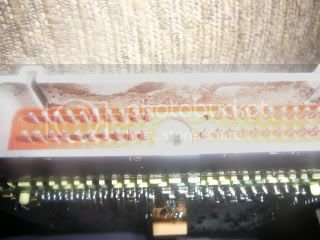
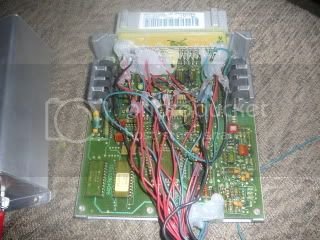
now for things like butterflies i just got the wire end of the pin out and soldered it directly to the wire i am running it with. you can see this with the picture of the wires inside the stock PCM.
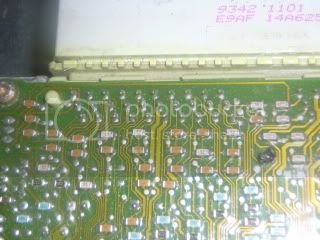
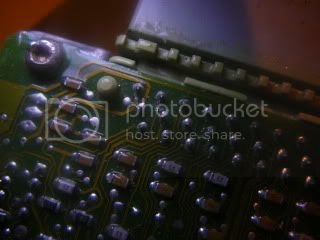
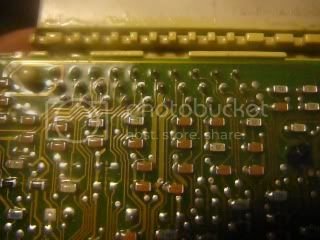
everything but fan control, CLT and IAT sensors as well as TPS stuff, PIP or crank and also cam sensors, power, grounds and sensor ground are wired directly to the PCM on the bottom side like the one picture showing a 3.8 wagon computer solder points.
they are sharing connections with the stock PCM and MS.
all other connections have been removed from the stock PCM and no longer are used by the PCM but are used only by the MS.. now this is mixed and matched since i was testing things are first.. so some things are still soldered to factory solder points then just scratched away the stock connection lines you can see in the pictures, then other things are completely removed as i have listed..
in the next few updates ill try and show pictures of these, what ill do is use the 3.8 computer i have here then solder(share)/remove pins to give a better idea what i am talking about..
i had removed the whole connector with a desoldering iron to make it easier on myself.
also hot glue is key to keeping things from moving around and causing any kind of shorts, as well as a means to keep things from coming loose....
as for the fuel pump there is a few ways to go about this.. easiest would be wire the high side of the pump and call that done. another is use the low side then kick the high side in at set rpm or set manifold pressure..
there is actually someone on the MS forum who has done something like this.. he basicly is running dual fuel pumps, one is for normal driving, the other kicks on at a set boost to run the high end..
setting certain commands to happen at any trigger is very easy with MS.
you can set things to kick on or off, or take readings or really anything you can imagine to come on with triggers like rpm or temp or whatever, even time frames if you want. also you can set more then one type of trigger with a set of rules...
like i said, its up to you.
anyways ill continue more later on. as of now ill just show the pictures i have taken.
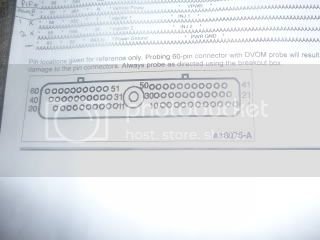
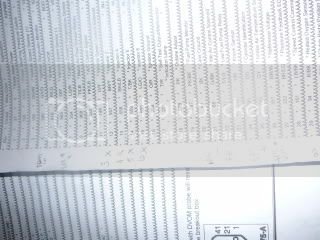


now i recommend you get yourself a ford service CD then print out the pinout of the computer like i did so you can sit down and solder this up.
also for a note the picture of the connector will be backwards if you have the PCM in front of you looking at it trying to match the picture up with the connector i have in the one picture.
example one side will end with 20/40/60 that will actually be the other side of the picture shown if your looking at the computer..
this will be very important since you will run into a lot of problems if wired wrong.
now this way i did it was what worked for me and was basicly something i did at first to wire this up and it has changed a lot over time, so it might look a bit crude but remember you can do this anyway you want.
also on the PCM i did break the stock connection with certain things like injectors, ignition output or SPOUT, coolant and air intake temp sensors (because the factory uses dual resistors which makes both the stock computer and the MS mad, conflicting readings).
now for things like butterflies i just got the wire end of the pin out and soldered it directly to the wire i am running it with. you can see this with the picture of the wires inside the stock PCM.
everything but fan control, CLT and IAT sensors as well as TPS stuff, PIP or crank and also cam sensors, power, grounds and sensor ground are wired directly to the PCM on the bottom side like the one picture showing a 3.8 wagon computer solder points.
they are sharing connections with the stock PCM and MS.
all other connections have been removed from the stock PCM and no longer are used by the PCM but are used only by the MS.. now this is mixed and matched since i was testing things are first.. so some things are still soldered to factory solder points then just scratched away the stock connection lines you can see in the pictures, then other things are completely removed as i have listed..
in the next few updates ill try and show pictures of these, what ill do is use the 3.8 computer i have here then solder(share)/remove pins to give a better idea what i am talking about..
i had removed the whole connector with a desoldering iron to make it easier on myself.
also hot glue is key to keeping things from moving around and causing any kind of shorts, as well as a means to keep things from coming loose....
as for the fuel pump there is a few ways to go about this.. easiest would be wire the high side of the pump and call that done. another is use the low side then kick the high side in at set rpm or set manifold pressure..
there is actually someone on the MS forum who has done something like this.. he basicly is running dual fuel pumps, one is for normal driving, the other kicks on at a set boost to run the high end..
setting certain commands to happen at any trigger is very easy with MS.
you can set things to kick on or off, or take readings or really anything you can imagine to come on with triggers like rpm or temp or whatever, even time frames if you want. also you can set more then one type of trigger with a set of rules...
like i said, its up to you.
anyways ill continue more later on. as of now ill just show the pictures i have taken.


 Wow, talk about a tech write up! Kudos to you sir and keep us updated!