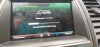
Sync 2 update failure

Disclaimer: Links on this page pointing to Amazon, eBay and other sites may include affiliate code. If you click them and make a purchase, we may earn a small commission.

mdshos

New Member
Joined
Sep 8, 2007
Messages
17
Reaction score
1
Location
maryland
Have a 2014 non pp adaptive cruise. Downloaded the current sync 2 file from ford to my Win 1p desktop. Unzipped the files in a temp desktop folder and moved them to a fat 32 ( for sync 2 ) 32 g usb stick. After several tries it recognized usb stick and began update. Uploaded the cab files, rebooted, and now is locked up on file 4 out of 10. Left the car alone overnight and loaded the same stick with fresh files just to make sure. Started the car, popped the stick in , it rebooted and when it gets to file 4 the same thing. So i have nothing functioning from the screen amd limited inductive controls. I scoured the internet and someone on a focus rs forum said it happened to him and while on a 3 hour trip it started to continue the update from the usb stick he left in. I may try a long drive before taking it to local Ford dealer. Any thoughts. Thankyou.
 

Attachments

  • 20191009_102239_HDR.jpg
    20191009_102239_HDR.jpg
    126.9 KB · Views: 16

bpopilek

Member
Joined
Jul 2, 2018
Messages
76
Reaction score
40
Location
Flint, MI
When doing updates, no matter what computer system. Sometimes it might be worth re-downloading the files just in case one was partially corrupted. Another idea would be to try a different USB drive from a different manufacturer. It is safe to say that not all USB drives are made equal. I know when I went to update my 2010 SHO, I had to try two different memory sticks before I found one that would work. Good luck!


Sent from my iPhone using Tapatalk Pro
 

mdshos

New Member
Joined
Sep 8, 2007
Messages
17
Reaction score
1
Location
maryland
Thanks for your reply, yes i did reformat the stick and try a fresh file. I also have 2 32 gig name brand sticks ive been flipping. I did go through both sticks until the update finally started.
 

SHOdded

SHO Member
Joined
Dec 25, 2011
Messages
9,045
Reaction score
4,390
Location
Maryland
Did you unzip directly to the USB stick? What brand stick are you using? Can make a difference. Sometimes 32GB can be unsuitable also, 8 GB or less works best.
 

krewat

SHO Member
Joined
Dec 20, 2012
Messages
1,191
Reaction score
1,025
Location
Long Island
Yeah, the size of the drive might be too much for it. Try something a lot smaller.
 

mdshos

New Member
Joined
Sep 8, 2007
Messages
17
Reaction score
1
Location
maryland
Did you unzip directly to the USB stick? What brand stick are you using? Can make a difference. Sometimes 32GB can be unsuitable also, 8 GB or less works best.
Downloaded the current sync 2 file from ford to my Win 10 desktop. Unzipped the files in a temp desktop folder and moved them to stick. Followed instruction to the letter. Yes..i could try a smaller stick but iif the upgrade started im not sure thats the problem. I use sandisk sticks. I will try to dig up an 8 gig stick and if it doesnt work im heading 2 the dealer. Thanks for your reply's. It looks like it hasnt happened to anyone yet. ( an install that hangs up 20 minutes in or so )
 

mdshos

New Member
Joined
Sep 8, 2007
Messages
17
Reaction score
1
Location
maryland
Downloaded the current sync 2 file from ford to my Win 10 desktop. Unzipped the files in a temp desktop folder and moved them to stick. Followed instruction to the letter. Yes..i could try a smaller stick but iif the upgrade started im not sure thats the problem. I use sandisk sticks. I will try to dig up an 8 gig stick and if it doesnt work im heading 2 the dealer. Thanks for your reply's. It looks like it hasnt happened to anyone yet. ( an install that hangs up 20 minutes in or so )
UPDATE. Just got back from an hour drive. It went through. After staying stalled for a half hour, it finally started on file 5 of the cab file it was stuck on, then moved on through the list to its completion. I used the same 32gb stick , reformatted it again, then moved the files back on the drive. Anyhow, it was the file or needed more time.
 

mdshos

New Member
Joined
Sep 8, 2007
Messages
17
Reaction score
1
Location
maryland
UPDATE. Just got back from an hour drive. It went through. After staying stalled for a half hour, it finally started on file 5 of the cab file it was stuck on, then moved on through the list to its completion. I used the same 32gb stick , reformatted it again, then moved the files back on the drive. Anyhow, it was the file or needed more time.
 

mdshos

New Member
Joined
Sep 8, 2007
Messages
17
Reaction score
1
Location
maryland
I've since did another SHO, (happened to be a pp), and a Focus titanium. I erased the small file the update leaves on the stick to report back to ford prior to updating the other cars. Used the same stick (32 gb sandisk). The focus went through in around 30 minutes or less, what My Ford suggested it would take. The Sho hung again on file 4 of 10, but went on to finish in a couple hours. Definitely need patience on the Taurus.
 

Latest posts

Forum statistics

Threads
107,080
Messages
1,181,220
Members
16,144
Latest member
14blkbeauty

Members online

Back
Top