New Oklahoma Guy

Disclaimer: Links on this page pointing to Amazon, eBay and other sites may include affiliate code. If you click them and make a purchase, we may earn a small commission.

TRD_OKC

New Member
Joined
Jul 16, 2017
Messages
14
Reaction score
18
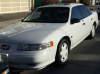
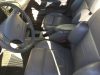
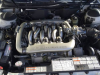
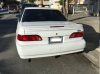
I recently purchased a 1993 white SHO from the San Fransisco area. It has about 50k miles and seems to be in excellent shape. It's a ATX with sunroof with grey interior and white slicer wheels. I'm replacing the leaking radiator as soon as the new radiator from ShoSource comes in.

Way back in 1996 I purchased a new green 1995 SHO w/ ATX. Loved that car but sold it to a an old friend and his son totaled it:(.

The 1993 SHO is part of my car collection including three old Fords (29,30,32), two Mustangs (65 6 cyl conv, 07 GT500), three Porsches (93,01,08), couple of Corvettes (66,02), three TBirds (55,57,03), couple Volvos (65,79), Prowler (01), Studebaker Hawk (61), old Chevys (55,57), Chevy SSR (05).
 
Last edited:

TRD_OKC

New Member
Joined
Jul 16, 2017
Messages
14
Reaction score
18
How do I post pictures to this forum that exist on my hard drive?
 

SHOdded

SHO Member
Joined
Dec 25, 2011
Messages
9,045
Reaction score
4,390
Location
Maryland
In the menu across the top of your reply box, there is a landscape icon next to the smiley icon. Click on that for URL based pics.

For pics locally stored, click on the UPLOAD A FILE button to the bottom right of the reply box. That allows you to attach files. You can then choose to display them as thumbnails or as full size images.

You can also choose to upload all your images to your gallery on this forum, then embed them here using the camera icon in the menu above the reply box. To get to your gallery, click on your username, then Profile Page. You will see tabs for Media and Albums. If you want to organize your pics, create albums first. Then upload your pics to the album you want using the ADD MEDIA button. Up 2 you.
 

TRD_OKC

New Member
Joined
Jul 16, 2017
Messages
14
Reaction score
18
I clicked my Username, then Profile Page but there are these 3 tabs: Forum Media Members.
No Albums tab.
Add Media requires selecting a Category or an Album but the pick list is empty for both.
 

SHOdded

SHO Member
Joined
Dec 25, 2011
Messages
9,045
Reaction score
4,390
Location
Maryland
this is what I see when I go to my Profile Page

Shoforum profilepage media album
Not the case for you? Do you have the Upload a File option at the bottom right of your reply box next to Post Reply? If that is also missing, then maybe it is forum rules at play, but I haven't seen that happen.
 

SHOdded

SHO Member
Joined
Dec 25, 2011
Messages
9,045
Reaction score
4,390
Location
Maryland
Huh. So what happens if you click on your username, what do you see besides Profile (the dark red text). This is what I see for mine

Screenshot 2017 07 24 14 39 48 1

May have to loop in jordanr on this to fix. But in the meantime you can upload pics via the UPLOAD A FILE button.
 

jordanr

SHO Member
Joined
May 24, 2014
Messages
111
Reaction score
124
Location
Florida
Hey TRD_OKC. Those links only appear once you populate.

You'll have to create an album in the media area.

The only category we have setup is "Example Category." We should add more SHO Forum categories if anyone has suggestions...
 

TRD_OKC

New Member
Joined
Jul 16, 2017
Messages
14
Reaction score
18
How do I create an album?
As I said above:
I clicked my Username, then Profile Page but there are these 3 tabs: Forum Media Members.
No Albums tab.
Add Media requires selecting a Category or an Album but the pick list is empty for both.
 

Latest posts

Forum statistics

Threads
107,080
Messages
1,181,220
Members
16,144
Latest member
14blkbeauty

Members online

Back
Top